Product Information

RD6BKWHCP
6' or 8' Polyester Table Cloth, Closed Back, White Custom Imprint - Solid Color
View Full Product Details| Print Options | 1 Color |
|---|---|
| Printing Type | Heat Transferred |
| Printing Area | Front Only |
|---|
Template Files
Artwork Guidelines & Instructions
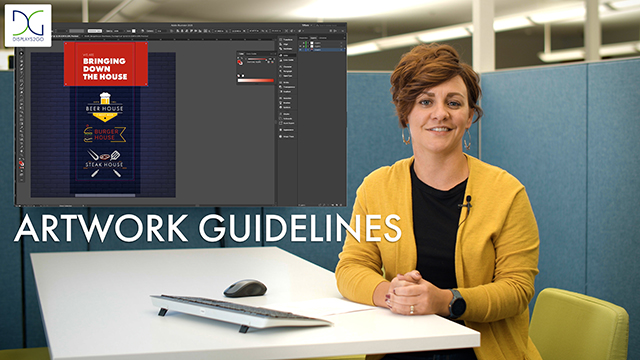
How to Submit Artwork for Custom Printed Products
Accepted File Formats
- Adobe Illustrator CC (or earlier) - .ai or .eps
- Adobe PDF - .pdf
- File must be in vector format. Click Here for Vector Artwork Examples.
- Choose your imprint color(s) out of the 15 available colors. We recommend choosing a color to contrast well with the color of the fabric. For example: black does not show up well on a royal blue table throw.
- Your logo will be maximized within the imprint area unless indicated otherwise. The imprint area is centered on the front panel of the table throw or runner only.
- We provide some edit services. Depending on the artwork we may be able to convert the file for you for a fee. We only offer this service for certain table throws.
Vector Artwork Examples

Examples of correct and incorrect vector formats.
15 available colors

Please Note: Vinyl colors shown are approximate. Colors viewed are dependent upon type of monitor and monitor settings and will not match exactly.
Artwork Setup & Proofing Guide
Here's how the process works, from setting up your file to approving your proof.
-
Prepare Your Artwork
- Illustrator and PDF: convert all fonts to outlines & embed all images.
- Photoshop: rasterize all fonts.
- File color mode must be CMYK. If requesting Pantone matching, please provide a layered file. This allows us to make minor color corrections if necessary.
- Please send only files that are used in your graphic/design.
- Please indicate any special positioning requirements of your graphic on the product.
- Only have a small or blurry logo? Our design team can recreate it with Design Services. More info about Design Services (opens in new tab)
Safety lines on your template and proof:
- The blue dotted line marks the safe area. Keep all text and important images inside this line so they are fully visible.
- The pink/red line marks the cut line. Extend any background color or image to this line to avoid white edges on the finished product.
- These lines are guides only and will not appear on your printed product.
About color matching
We'll match your colors as closely as we can. Screens, printers, and materials all show color a little differently, so printed colors may vary slightly from what you see on your screen or from items you've ordered before.
-
Upload Your Artwork
Artwork should be submitted the same day the order has been placed to avoid delays.
Before placing your order
- Upload your artwork from the product page when you add to cart, or from your shopping cart before you place your order.
After you place your order
- After you order, you'll receive a link to the Artwork Manager (opens in new tab), where you can upload your artwork and approve your proof.
- You can also email it to info@displays2go.com. Put "Art Attached" and your order number in the subject line.
-
Free Artwork Review
After receiving your file, your artwork will be reviewed within 2 business days for placement, sizing, and print readiness. Our team will advise you if any changes are required.
Your free artwork review includes:
- Artwork placement, sizing, and orientation
- Basic print-readiness and resolution review
- Identification of obvious production concerns
- A digital proof showing how your artwork will print
If you need help editing your artwork, we offer Design Services ($45/hr) for the following:
- Retouching or reconstructing artwork
- Correcting distorted or inaccurate image details
- Recreating low-resolution artwork
- Editing text, spelling, names, dates, or other content
- Making creative or compositional changes
-
Review & Approve Your Proof
We'll send you a digital proof. Content is printed exactly as submitted, so please review spelling, images, facts, and overall design before approving.
Please double-check:
- Spelling, names, dates, phone numbers, website addresses, and QR codes
- Logos and images, including any AI-generated artwork (look for distorted text, faces, hands, or details)
- Color requirements and safety lines
Need changes? Upload a new file or leave a comment on your proof.
Ordering more than one product? Each file must be approved before your order can move to production.
Once approved, your order moves to production and changes may not be possible.
-
We Print & Ship
Production lead time begins once you approve your proof. Your order ships using your selected shipping method.
Artwork approval, production time, and shipping time all affect how quickly you receive your product.